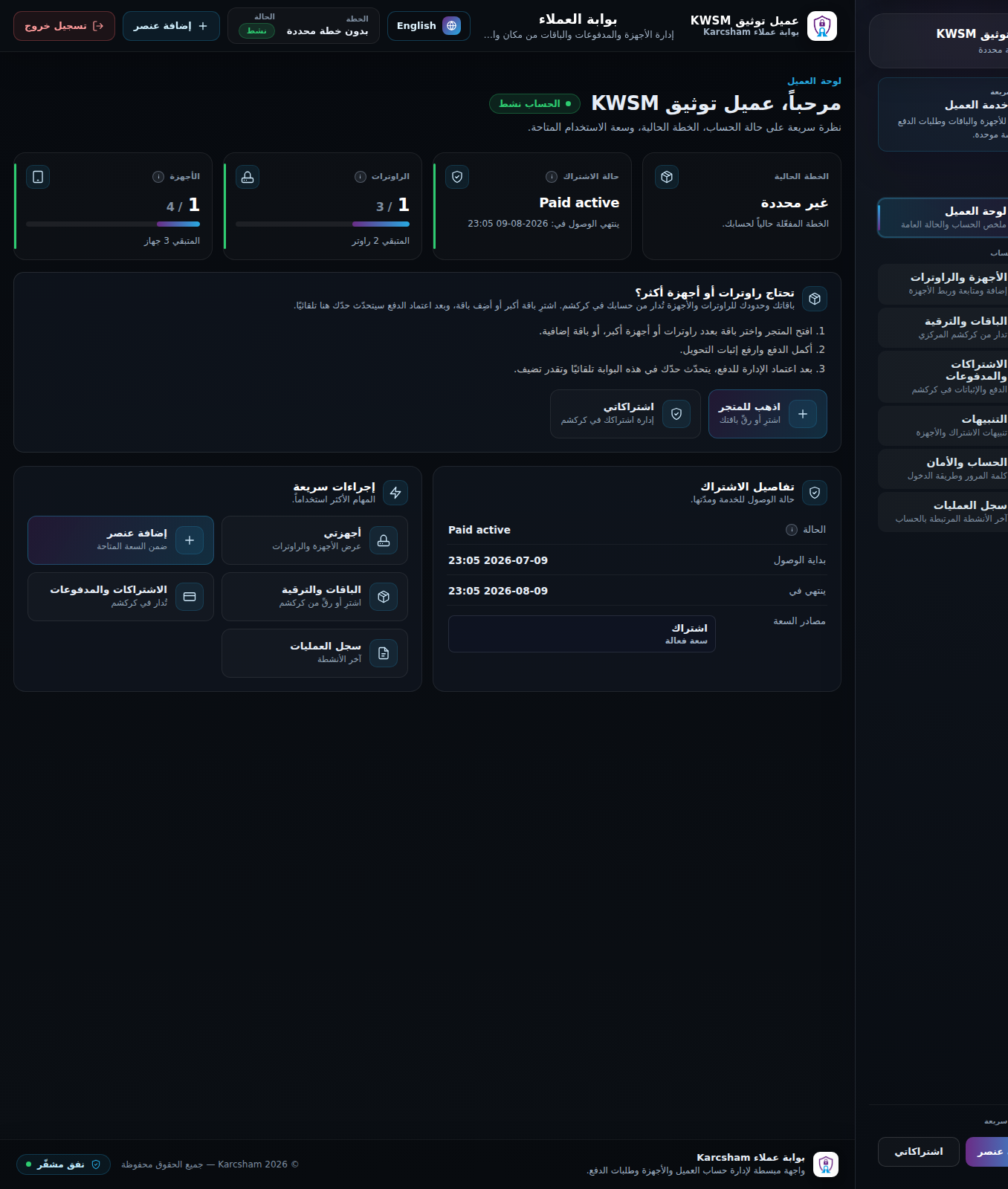
Dashboard, subscription, and capacity
Published: 2026-07-10
Explains dashboard cards: status, plan, access dates, and available device/router capacity.
The client dashboard is the first page after sign-in. Use it to confirm account status, subscription access, and how many devices or routers you can still add.
Main dashboard areas
- Account status: active, suspended, or closed.
- Current plan: the plan name if set by Central or KWSM.
- Subscription state: for example Paid active, Trial active, Expired, or Pending payment.
- Access start and end dates.
- Device usage against the available limit.
- Router usage against the available limit.
- Quick actions such as add item, my devices, subscriptions/payments, and audit log.
Reading capacity
If devices show 1 / 4, you are using one device out of four available devices. If usage reaches the limit, you cannot add another item until you remove an unused item or upgrade.
When you need more routers or devices
Open the plans/store link from the dashboard. In the Central billing setup, you are sent to KARCSHAM Central to purchase or upgrade. After payment approval, KWSM updates automatically.
Important note
Adding devices or routers requires an active entitlement. If access is expired or pending payment, protected actions are blocked until renewal or approval.
Reference screenshots