

Service Guide
In category: Service Requests & Support
How to create a service request
Published: 2026-06-13 Last updated: 2026-07-28
Steps to create a new request and how to make it clear from the start.
To create a service request:
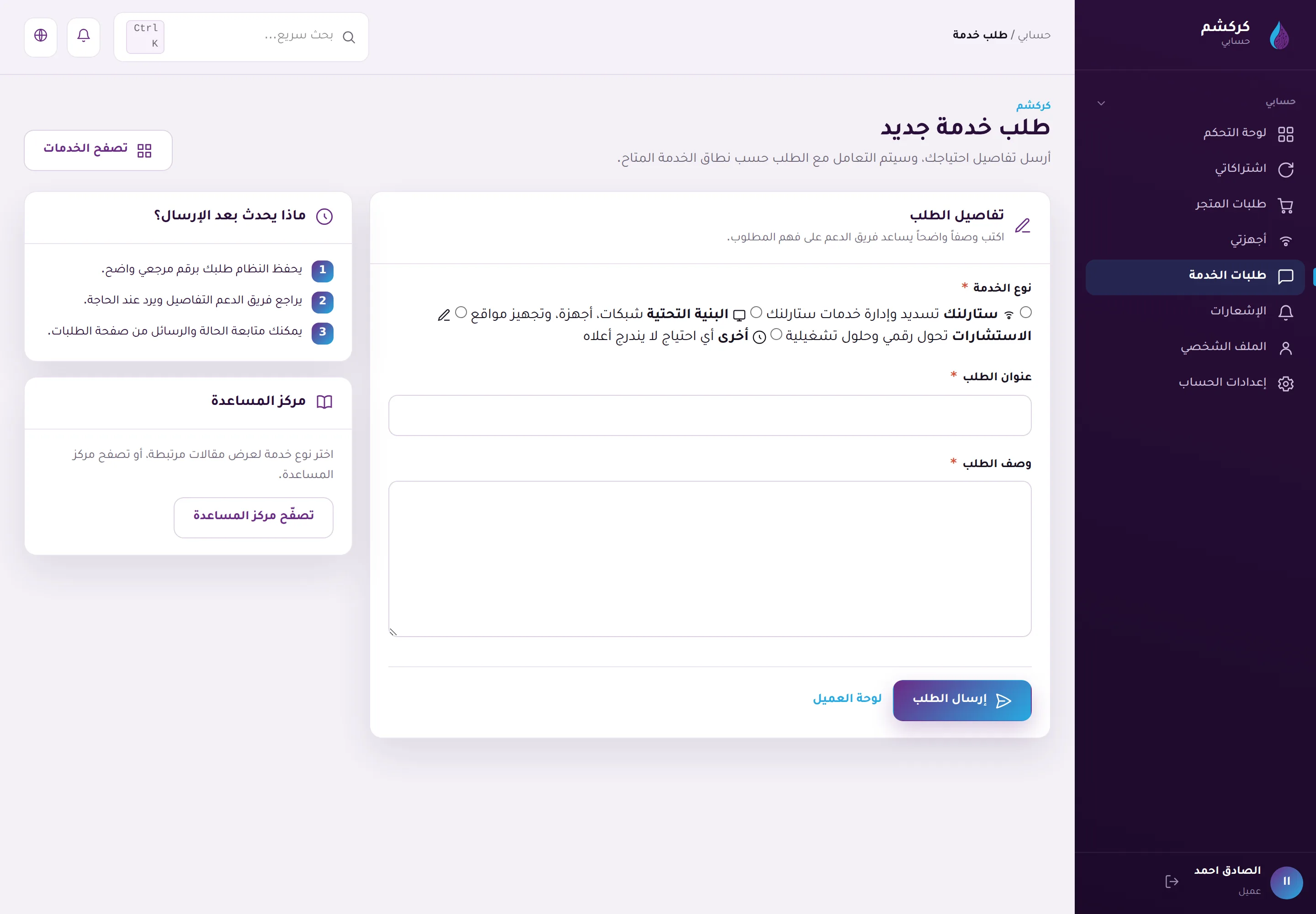
- From the dashboard, open Service Requests and choose Create new request. You can also start from the service catalog by pressing "Request this service" on any service page.
- Choose the right request category (Starlink, networks and infrastructure, digital consulting, or other).
- Write a short, clear subject.
- Describe your need: what do you want, and what is your current situation?
Tips for a clearer request:
- Mention the location or country if it matters for the service.
- Mention any information you have already prepared (device type, account status...).
- Do not put passwords or sensitive details in the description — share them later through the request messages when needed.
After submitting you will get a reference number you can use to follow your request at any time.