

Create a new account: what happens after registration?
Published: 2026-07-26 Last updated: 2026-08-01
The path from the registration form to email confirmation and WhatsApp verification.
Start from the Create account page. Your Central account is your main KARCSHAM identity. It lets you track service requests, orders, subscriptions, and connected systems when you have access.
Required information
During registration you need:
- Full name.
- A valid email that is not already used by another account.
- A valid WhatsApp number with country code.
- A password of at least 8 characters containing a letter and a number.
- The security check shown on the page, when it appears.
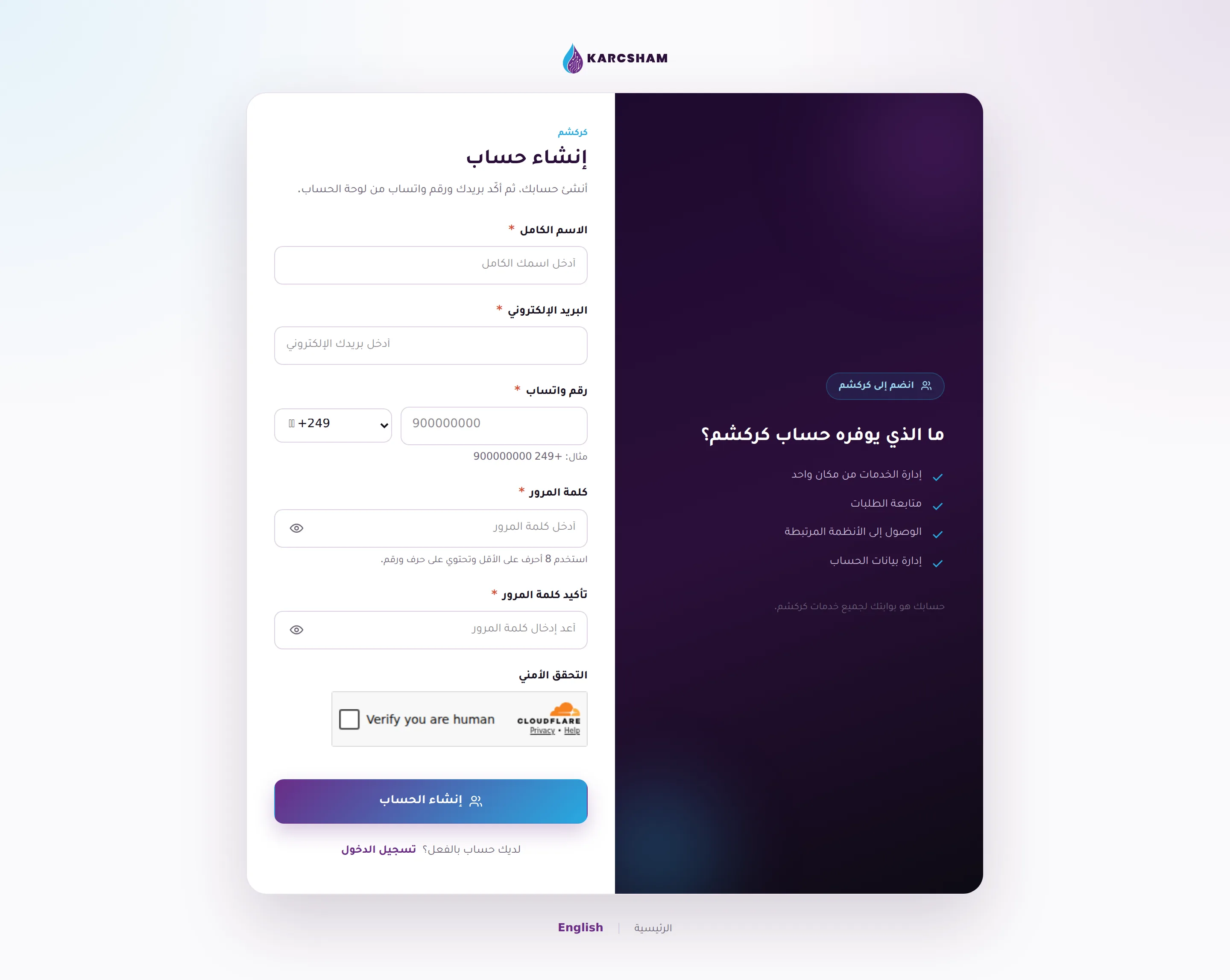
Use the WhatsApp number you can actually send messages from. Ownership is verified later by a message you send from WhatsApp, so do not use someone else's number.
After pressing Create account
After the account is created:
- The account is created as a customer account.
- The system sends a verification link to your email.
- The system starts a WhatsApp verification challenge for the number you entered.
- You are returned to the sign-in page, but sign-in is blocked until the email is confirmed.
The best practical order is:
- Open your email and click the verification link.
- After confirmation succeeds, sign in from the Sign in page.
- Open settings and complete WhatsApp verification if it is not already complete.
- After email and WhatsApp are complete, locked services such as checkout, requests, and connected systems become available.
If the email does not arrive
Check your inbox and spam or junk folders. If the email was wrong or the link expired and you cannot sign in, contact us through the Contact page and include the email you registered with.
Do not create repeated accounts for the same use. One account keeps your requests, subscriptions, and communication history in one place.