

Support Doc
In category: Karcsham Fi
Printable card designs
Published: 2026-07-04 Last updated: 2026-07-28
Create and edit the card layout used for printing or PDF.
Card Designs controls how cards look when printed. It does not change card data on the router; it controls the paper or PDF layout.
Designs page
The page lists available designs:
- System designs.
- Your own designs.
- Designs visible to all or selected managers depending on permissions.
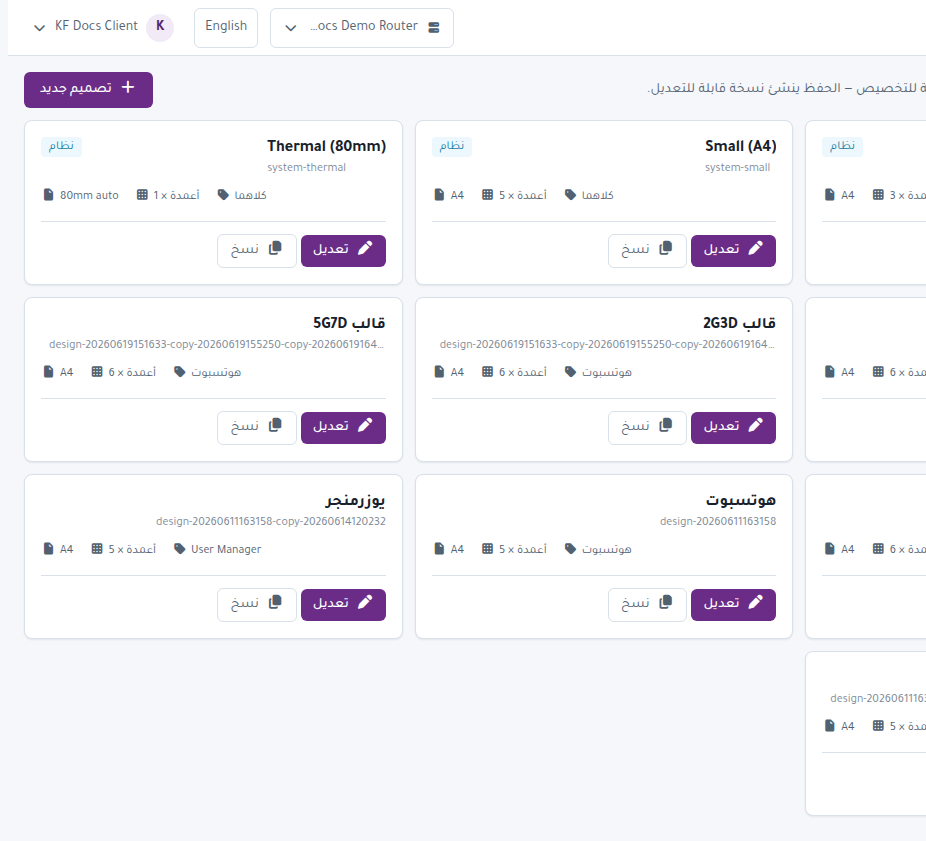
Important actions:
- New Design creates a design.
- Edit modifies a design.
- Duplicate copies a design.
- Visibility lets a super admin choose who can use it.
- Remove deletes a non-system design.
Design editor
The editor can control:
- Page Size such as A4.
- Portrait or Landscape orientation.
- Columns and rows.
- Card width and height in millimeters.
- Margins and gaps.
- Backgrounds, borders, and colors.
- Text, logo, and QR elements.
- Labels and values shown on each card.
- Auto Print.
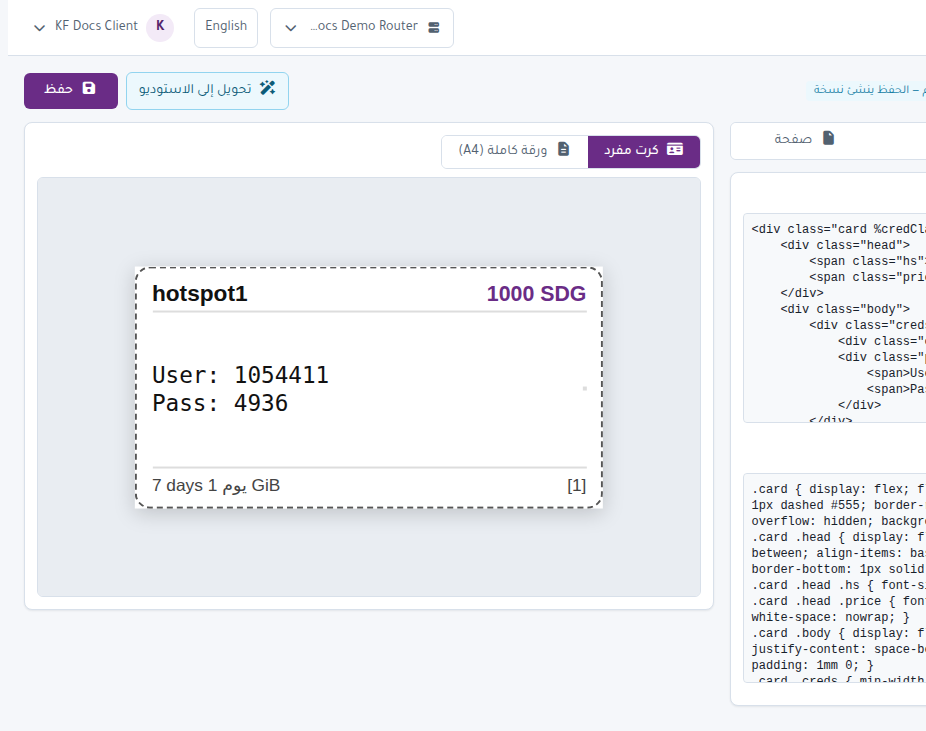
Variables
The editor includes Available variables. Copy variables into text elements to print username, password, price, validity, or other values.
Recommended workflow
- Start from an existing design.
- Duplicate it before large changes.
- Adjust size, colors, and logo.
- Watch Preview.
- Save.
- Select this design in Generate when issuing cards.
Printing tip
Print a small sample first. If cutting or alignment is wrong, adjust Columns, Gap mm, or Margin mm and test again.