
Service Guide
In category: Karcsham Fi
Managing Hotspot cards after generation
Published: 2026-07-04 Last updated: 2026-07-28
Search, filters, print, export, disable, delete, and bulk operations.
Card Management is the main place to review generated cards. Use it to find, disable, print, export, or delete cards.
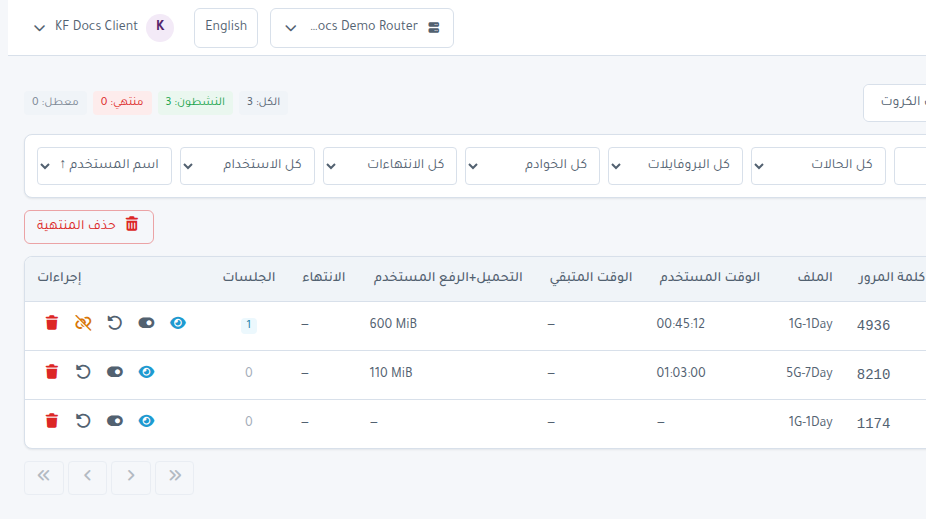
Table fields
- Status: Active, Expired, or Disabled.
- Username and Password.
- Profile.
- Used Time.
- Time Left.
- Used Transfer.
- Expiry.
- Sessions count.
Important filters
- Filter searches by card or comment.
- Status filters state.
- Profile and Server narrow the list.
- Expiry finds cards expiring within 24 hours, soon, or already expired.
- Usage separates used and unused cards.
- Sort orders by username, expiry, time left, transfer, or sessions.
Single-card actions
Actions can:
- Open Details.
- Enable or Disable.
- Reset Counters.
- Remove Sessions.
- Remove the card.
Bulk actions
- Select cards using checkboxes.
- Use Select Page if needed.
- Press Batch Actions.
- You can also Print or export CSV for selected cards.
Delete expired
Delete Expired removes expired cards from the router. Use it carefully after confirming they are no longer needed.
Cards Archive
The archive lists previous generation batches. It lets you:
- Review a full batch.
- Print a batch.
- Export CSV.
- Run bulk actions for batch cards.
- Run root batch purge when needed and allowed by subscription limits.