

Manage account details, profile, and access state
Published: 2026-07-26 Last updated: 2026-07-28
What can be edited from settings and profile, and how email changes or inactive accounts affect access.
After signing in, use Settings and Profile to keep your details ready before creating requests or buying.
What can you edit in settings?
From settings you can:
- Edit your name.
- Edit your email.
- Choose preferred language: Arabic or English.
- Review email and WhatsApp status.
- Start or change WhatsApp verification.
- Change password.
Changing email is important: when it changes, the current email verification is removed and the system sends a new verification link to the new email. Before confirming the new email, normal account use may be blocked.
What can you edit in profile?
From profile you can save:
- Company name, if any.
- Contact phone.
- Country and city.
- Preferred language.
- Shipping addresses when needed, up to 5 addresses.
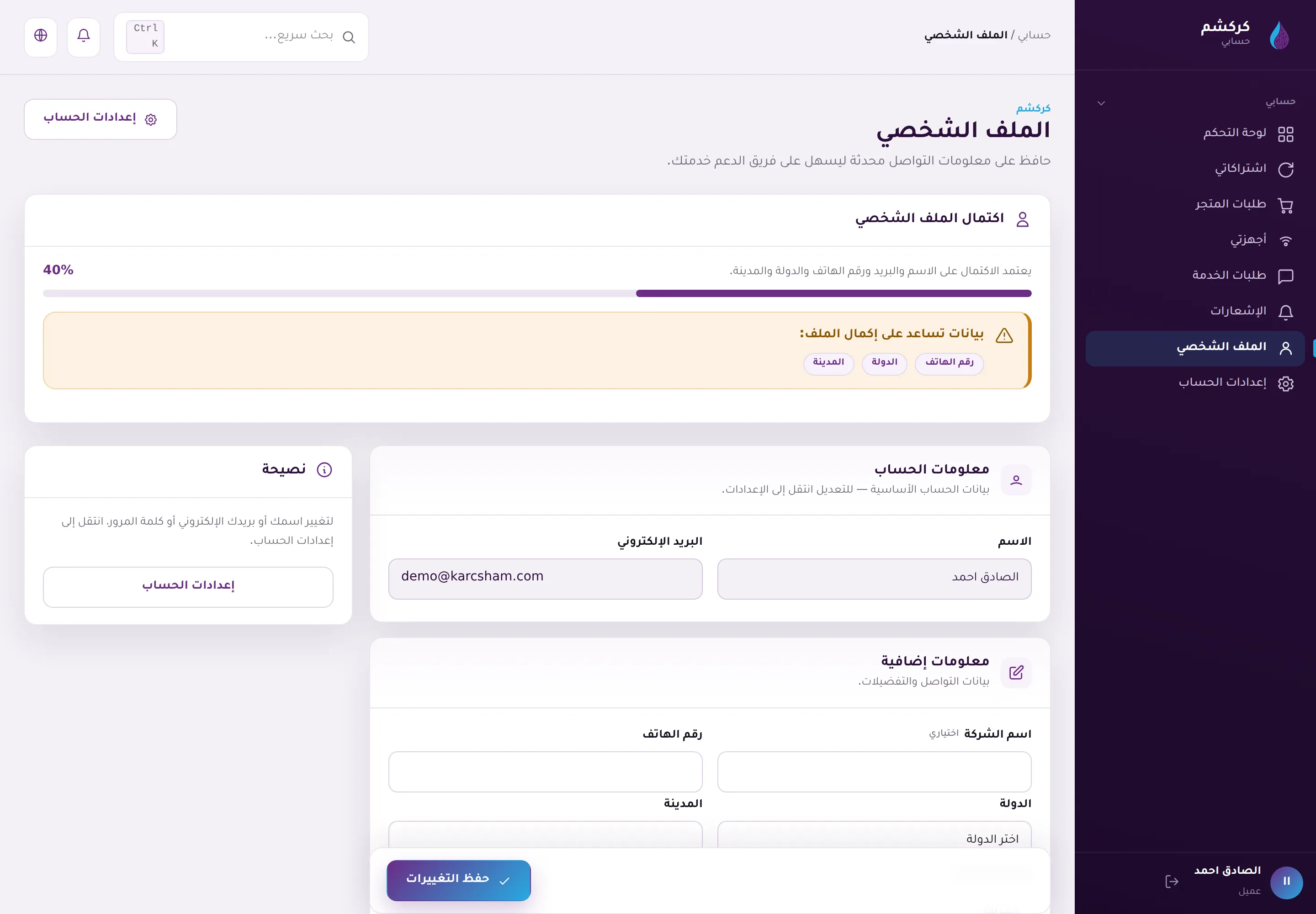
These details help with orders, purchases, and communication, but they do not replace email and WhatsApp verification.
Account and access state
The active or inactive account state cannot be changed by the customer from settings. If the account is inactive, you may be signed out and unable to continue until the team resolves it.
Launching Karcsham Fi or KWSM depends on more than one condition:
- The account is active.
- The email is confirmed.
- WhatsApp is verified for the customer.
- You have an active subscription or access grant for the target system.
- The subsystem is accepting sign-in and is not disabled or under maintenance in a way that blocks access.
If a subsystem launch button is missing or launch fails after verification is complete, review the related subscription or order, then contact support if the block remains.